For Home Cooks

Sync multiple recipes.Hit the table hot.

Culinary Conductor reverse-engineers your dinner timeline so every dish finishes at the same moment — perfectly hot, ready to serve.

Try the Web App
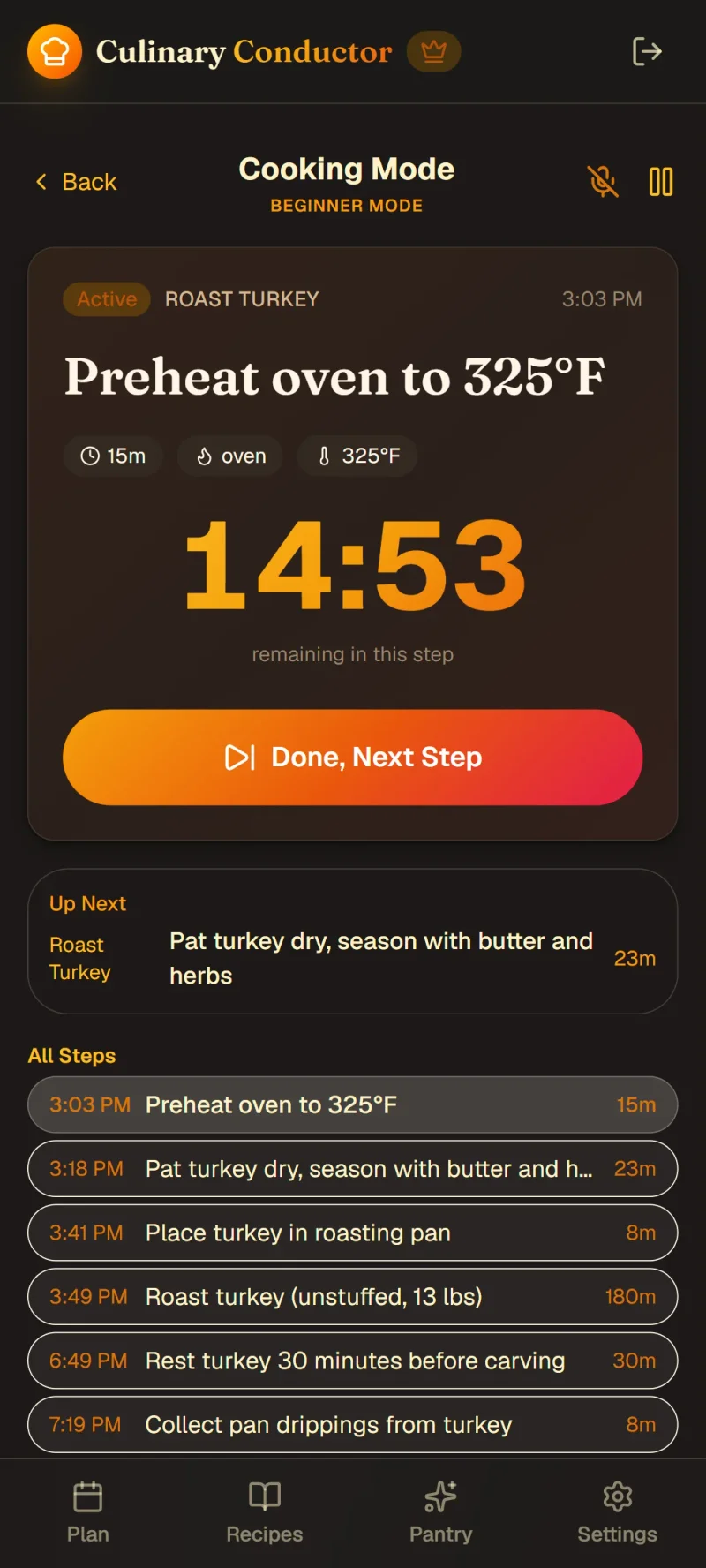
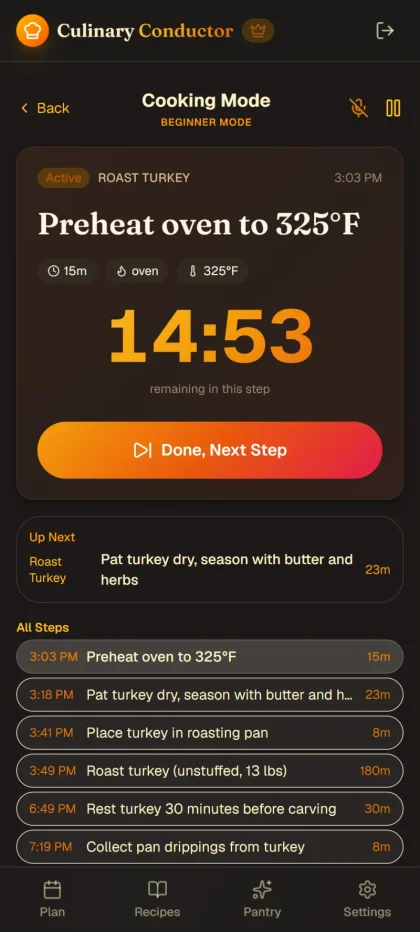
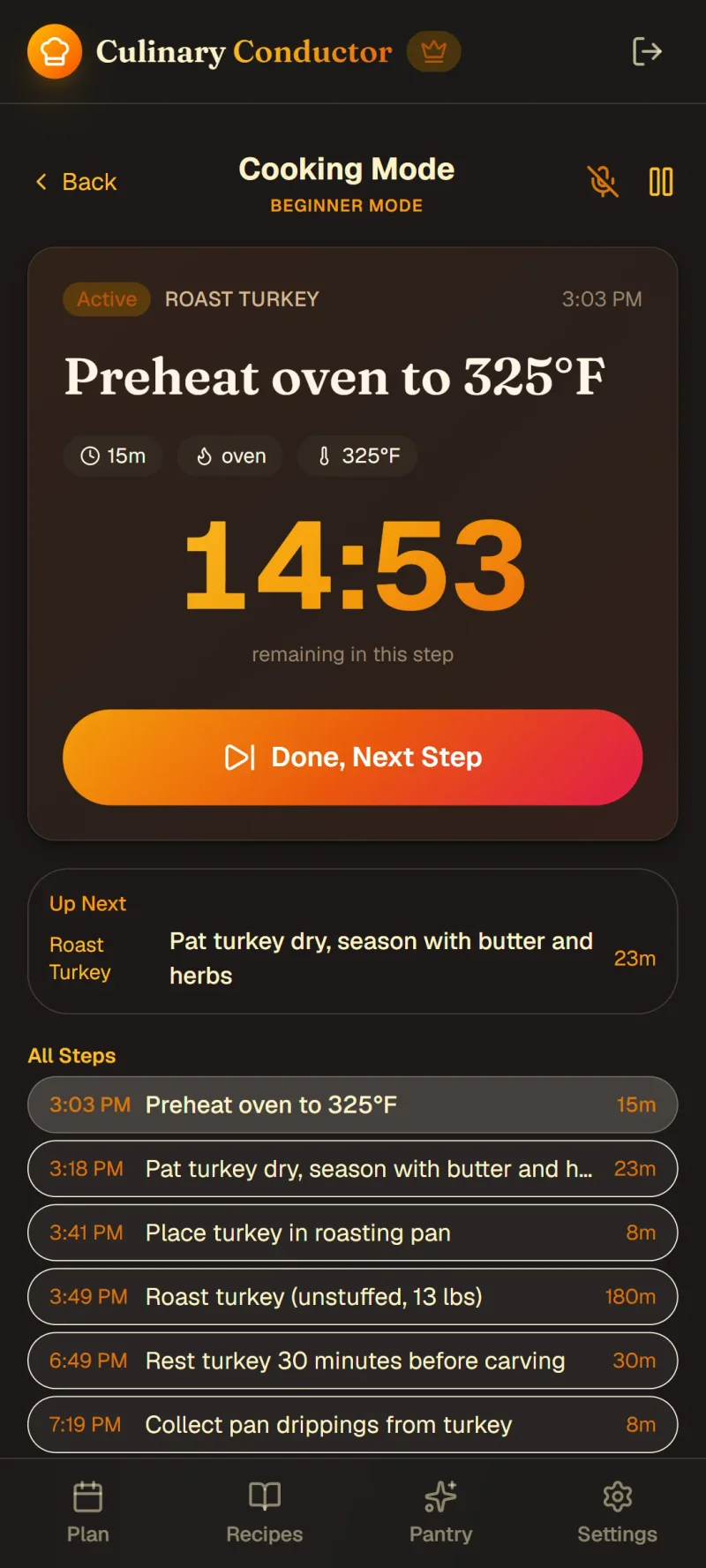
Culinary Conductor cooking mode showing 14:53 countdown timer for roast turkey

The Problem

Cooking dinner shouldn’t be a panic attack.

You know the feeling.

  • Three dishes, three timers, one burnt gravy.
  • Half the meal goes cold while the rest catches up.
  • You spend the night babysitting, not cooking.

In Three Steps

How it works

Step 1

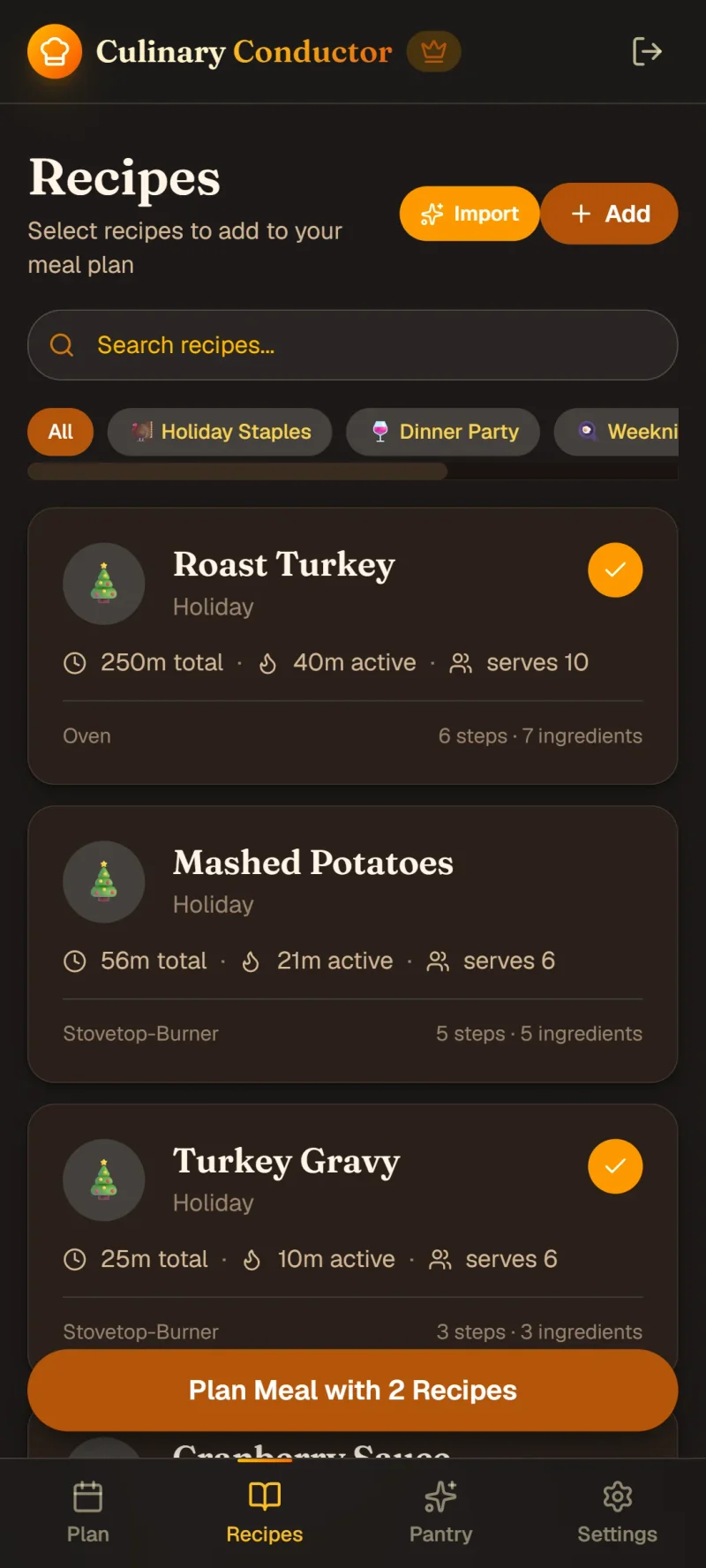
Pick your recipes.

Choose dishes and set your serve time. We read each recipe so you don't have to.

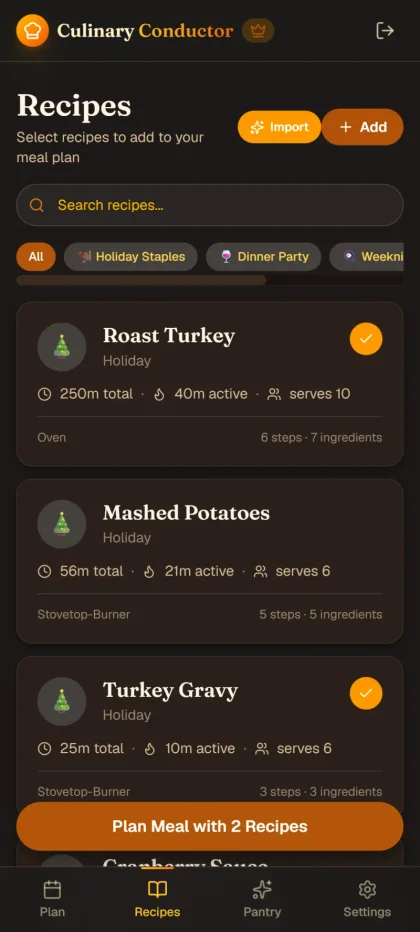
Recipe library with multiple dishes selected

Step 2

We sync the timing.

A reverse-scheduled timeline lands every step at the right minute. No math.

Step 3

Cook with confidence.

Cooking mode walks you through each step. Voice commands, smart timers, hands free.

Cooking mode with active timer

FEATURE 01

Every step. Every minute. Mapped.

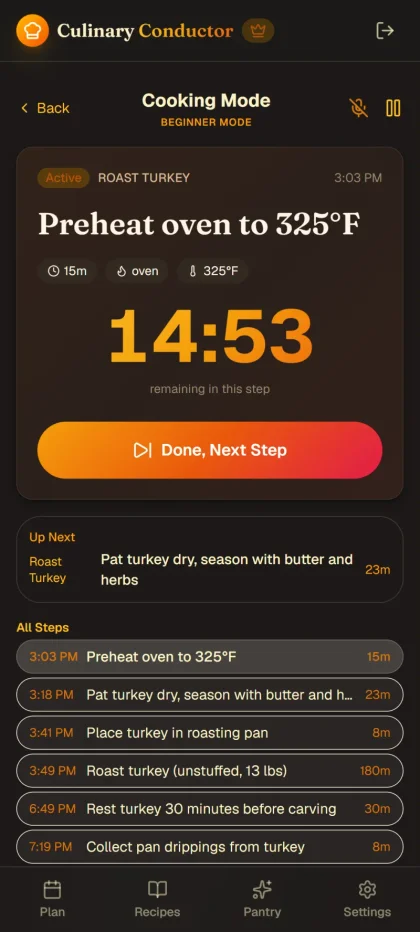
See clock times for every step from prep to plate, so each dish lands exactly when you need it.

  • Per-step countdown timers
  • Clock times calculated from your serve time
  • Hands-free voice cues for active steps
Cooking Mode showing per-step timeline with clock times for a Roast Turkey

FEATURE 02

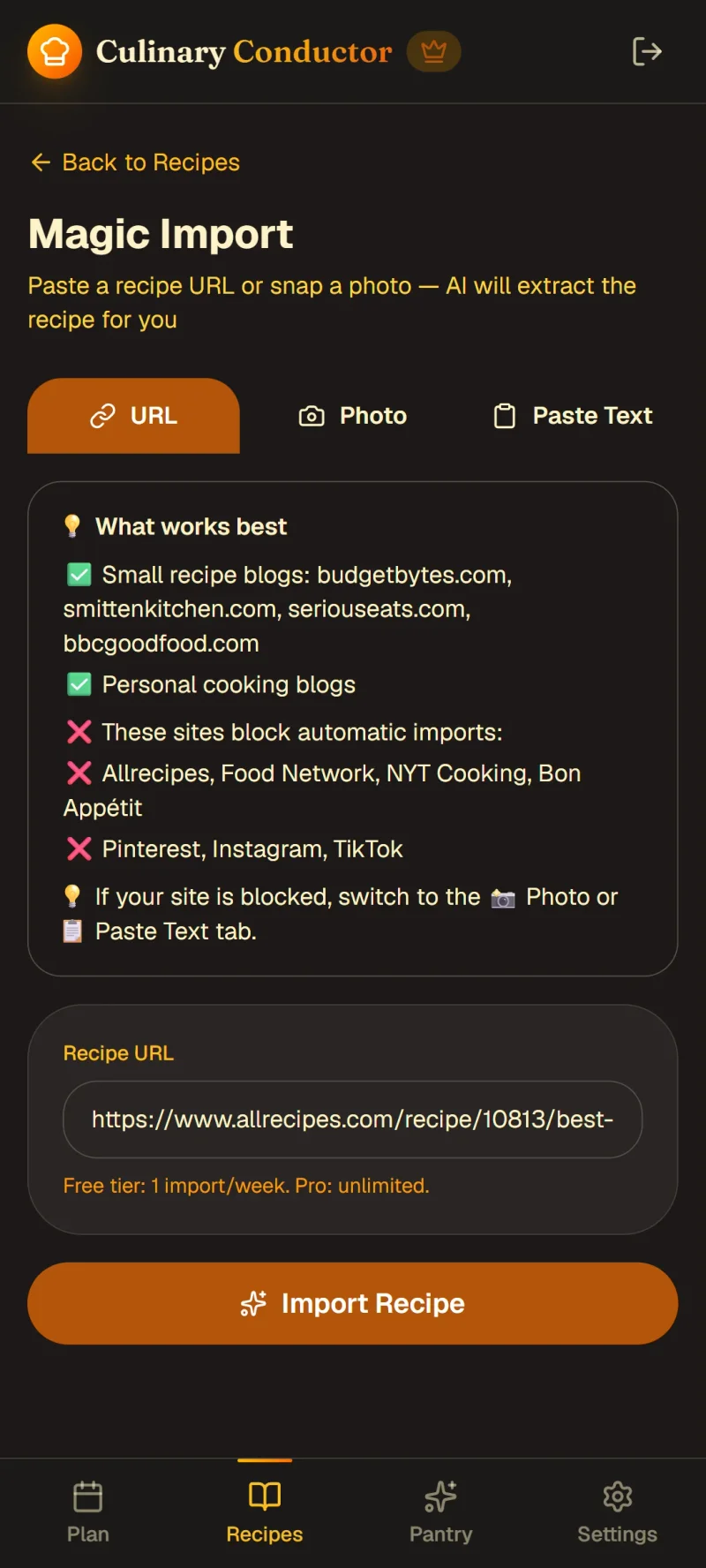
Paste any recipe URL. We do the rest.

Drop in a link from any food blog or video. Culinary Conductor parses ingredients, steps, and timing automatically.

  • Works with 1000+ recipe sites
  • Imports ingredients with quantities
  • Extracts cook times and temperatures
Magic Import screen with a recipe URL in the input field

FEATURE 03

Cook with what you have.

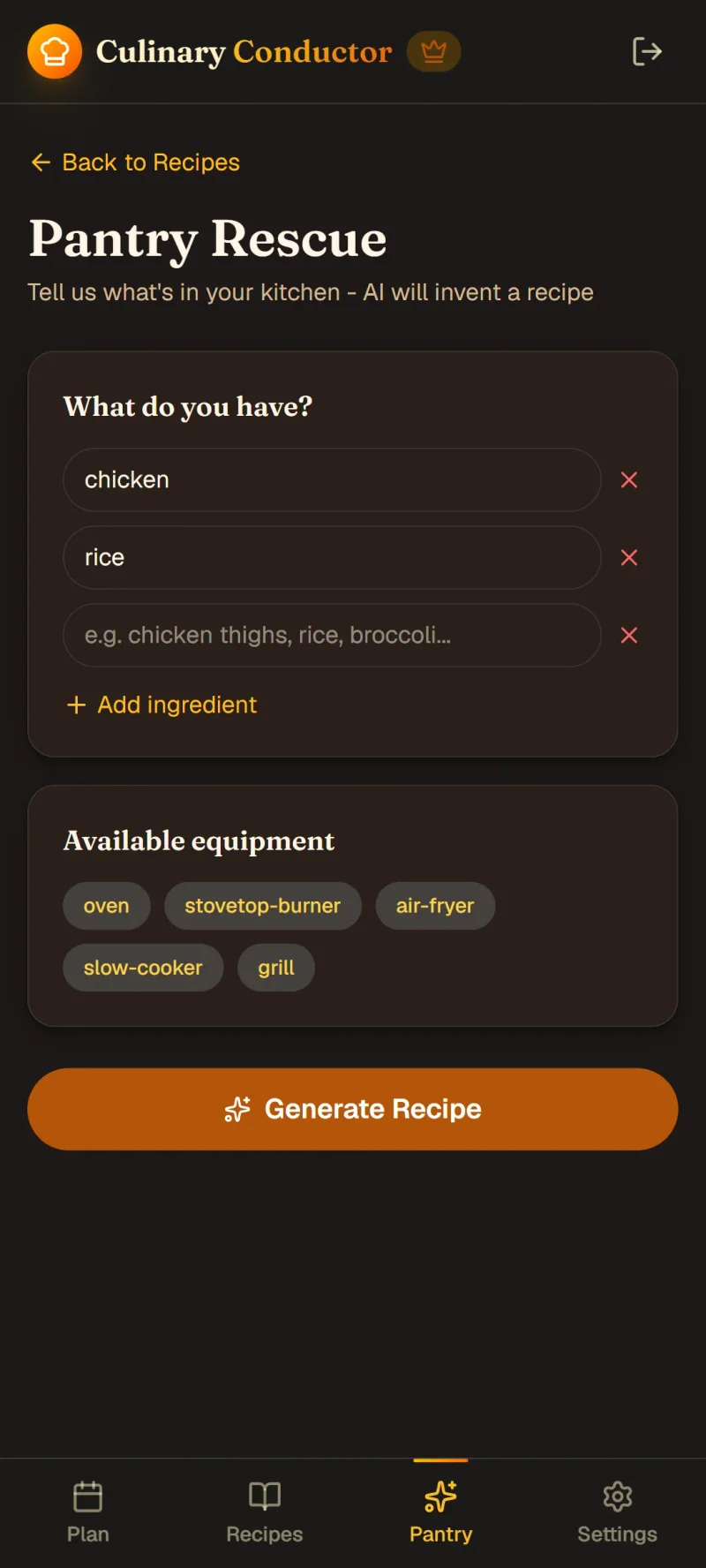
Snap your pantry or type what's on hand. Get recipes that match — no extra grocery run.

  • Photo-based pantry scanning
  • Filters recipes by available ingredients
  • Suggests smart substitutions
Pantry Rescue input screen with ingredient and equipment chips

PRICING

Simple pricing. No surprises.

Start free. Upgrade when you're cooking for a crowd.

Free

$0/forever

Perfect for solo weeknight dinners.

  • Up to 2 simultaneous recipes
  • Built-in recipe library
  • Manual recipe creation
  • Clean-As-You-Go reminders
  • Kitchen bottleneck detection
  • Guest-is-Late button
  • 1 Magic Import per week
  • Bunker Mode (offline cooking)
Start cooking — it's free
MOST POPULAR

Pro

$3.99/month

For Sunday roasts, dinner parties, and holiday chaos.

  • Everything in Free, plus:
  • Unlimited simultaneous recipes
  • Unlimited Magic Imports
  • Multi-device live sync
  • Priority AI processing
  • Voice-activated steps
  • Pantry Rescue Generator
  • Aisle-sorted grocery lists
Get Pro — $3.99/mo

Cancel anytime · 14-day refund for billing errors

Billed monthly through Stripe. Prices in USD. Taxes may apply.

Compare plans

See exactly what's in each plan.

Core cooking
  • Simultaneous recipes
    FreeUp to 2ProUnlimited
  • Built-in recipe library
    FreePro
  • Manual recipe creation
    FreePro
  • Synchronized timeline
    FreePro
  • Clean-As-You-Go reminders
    FreePro
  • Kitchen bottleneck detection
    FreePro
  • Guest-is-Late button
    FreePro
  • Bunker Mode (offline cooking)
    FreePro
Magic Import
  • Recipe URL imports
    Free1 / weekProUnlimited
  • Supported sites
    FreeAllProAll
Pro features
  • Priority AI processing (Gemini)
    FreePro
  • Multi-device live sync
    FreePro
  • Voice-activated steps
    FreePro
  • Pantry Rescue Generator
    FreePro
  • Aisle-sorted grocery lists
    FreePro
Platform
  • Web app
    FreePro
  • PWA install (iOS/Android)
    FreePro
  • Native Android app
    FreeComing soonProComing soon
Support & billing
  • Email support
    FreeBest-effortProPriority
  • Cancel anytime
    FreePro
  • 14-day refund
    FreeN/APro

FAQ

Questions, answered.

Everything you'd ask before signing up.

Can I cancel anytime?

Yes, anytime from Settings → Billing. You keep Pro features until the end of your billing period, then drop to Free automatically. No phone calls, no retention dance.

What counts as a "Magic Import"?

Each time you paste a recipe URL and we parse it into your library, that's one Magic Import. Free includes 1 per week. Pro is unlimited.

What happens to my recipes if I cancel Pro?

Nothing. Your recipes, meal plans, and pantry stay yours forever. You lose access to Pro-only features (live sync, voice steps, Pantry Rescue, aisle-sorted lists, Priority AI), but every recipe you imported or created stays in your library.

Does it work offline?

Yes — Culinary Conductor is built offline-first. Bunker Mode lets you keep cooking, editing recipes, and tracking your timeline without a connection — any changes sync automatically when you're back online. This works on both Free and Pro plans.

Is my data private?

Yes. We don't sell, share, or use your recipes to train AI models. We use Stripe for billing and don't store payment info ourselves. Full details in our Privacy Policy.

Can I import recipes from any website?

Most of them. Magic Import works on most recipe websites with a structured recipe format — including AllRecipes, Serious Eats, NYT Cooking (public pages), Budget Bytes, Food Network, and Bon Appétit. Paywalled or login-gated recipes won't import. Recipes you import are yours for personal use; we don't republish anything.

What about allergies and dietary restrictions?

Culinary Conductor surfaces ingredient info but is not a substitute for medical or nutritional advice. Always verify allergens yourself, especially for guests. AI-generated suggestions (Pantry Rescue, recipe scaling) can make mistakes — treat them as a starting point, not gospel. See our Terms for full disclaimers.

When will the Android app launch?

The web app installs as a PWA on Android today — full app icon, offline support via Bunker Mode, push notifications. Most users find it indistinguishable from a native app. A native Android build is on our roadmap.

Still curious? Email diglej@gmail.com.